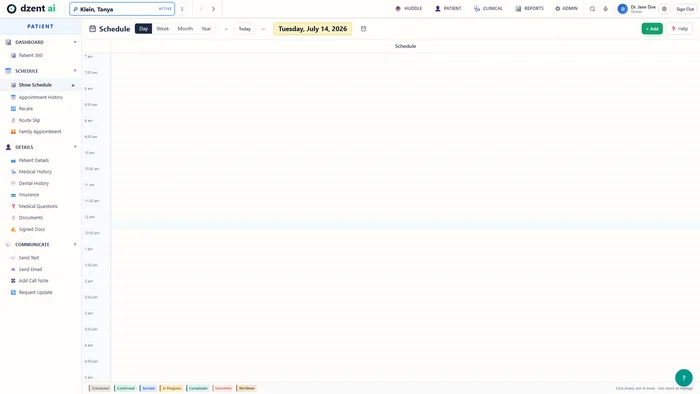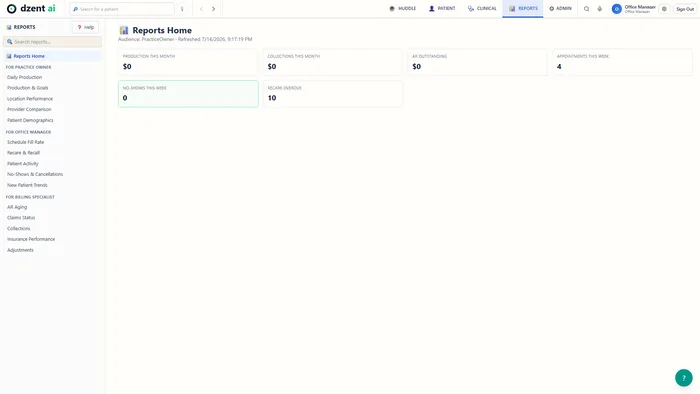
Your phone gets answered. Your notes write themselves. Your insurance posts itself.

AI-native practice management for dental practices of any size — an AI receptionist, voice charting, and one-click insurance posting, on security that attacks itself every night.

The DzentAI film

2:14 — an after-hours call becomes tomorrow's appointment. Captions included.

What changes for your practice

Four things DzentAI does for you

It answers the calls you miss

It's 6:40 PM, your office is closed, and somebody's crown just came off. Instead of voicemail, the AI receptionist answers, asks the right triage questions, and — when it's urgent — pencils the appointment into the schedule for your front desk to confirm in the morning. The call notes and the slot are waiting when you unlock the door.
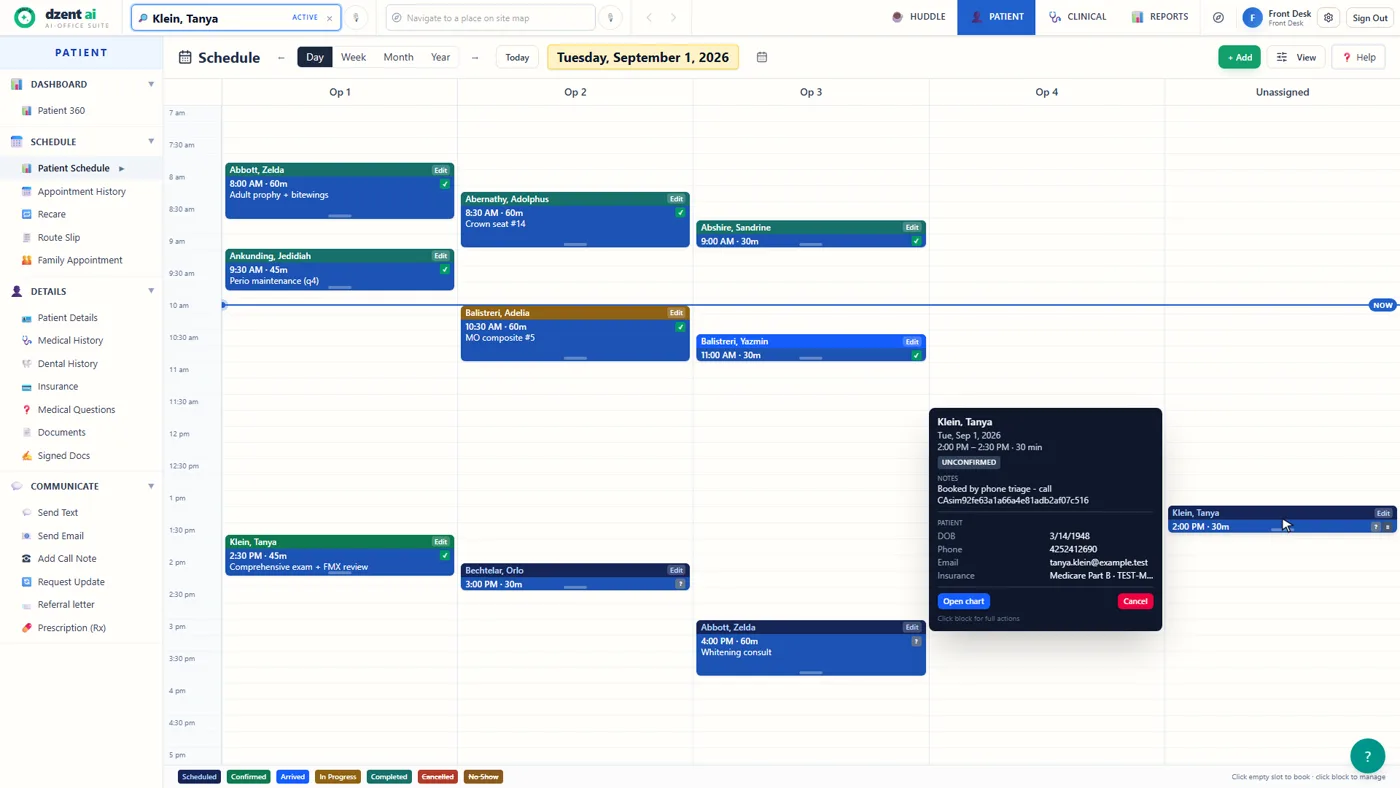
DzentAI schedule: an appointment created by phone triage, marked Unconfirmed, with the note 'Booked by phone triage' — waiting for front-desk confirmation
An after-hours call, landed on the schedule as Unconfirmed — your front desk confirms it, not the AI.

Chart by talking

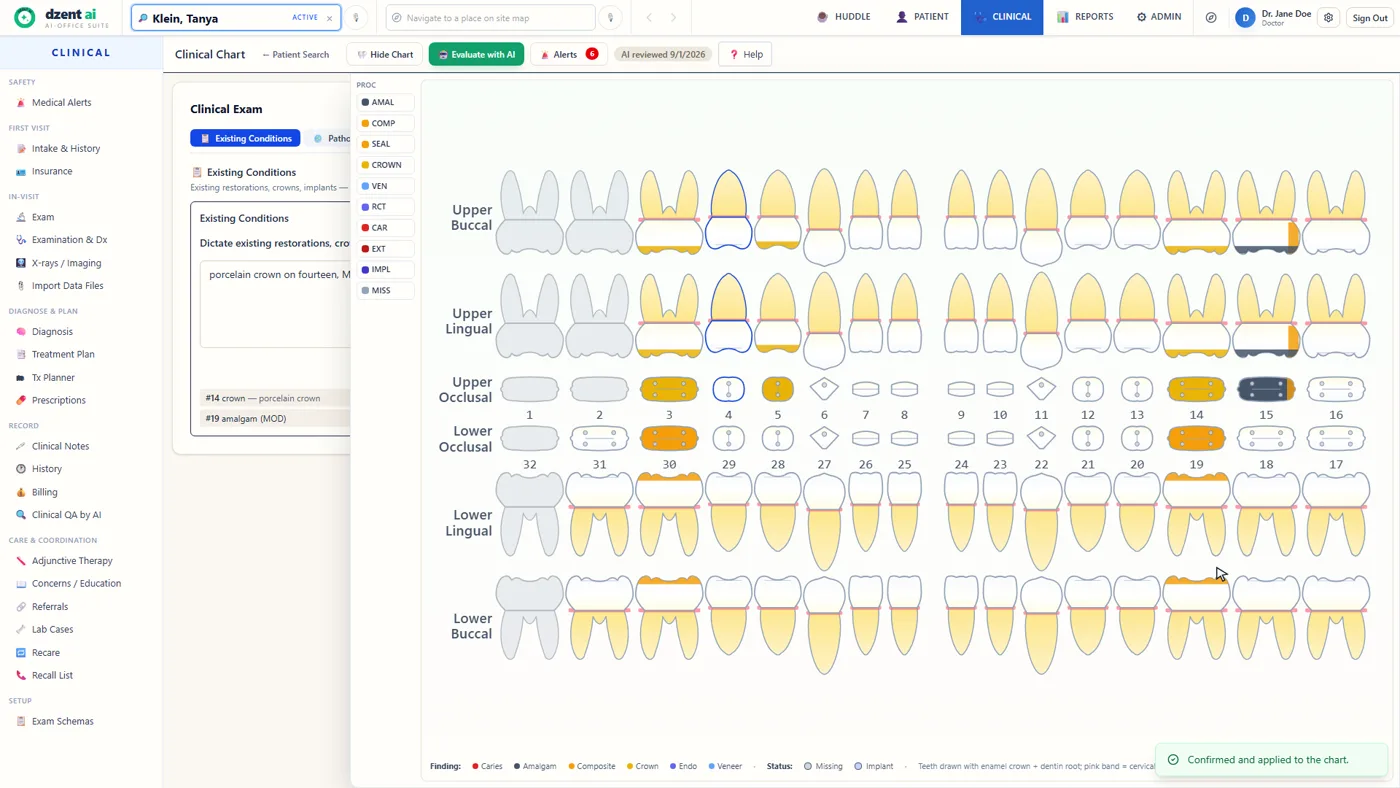
Your hands are gloved and in a mouth — nobody can type. Say it instead: "porcelain crown on fourteen" becomes a structured finding on the odontogram, you confirm it, and it's charted. You finish your notes before you take your gloves off.

DzentAI clinical chart: a dictated finding — porcelain crown on fourteen — structured onto the anatomical odontogram, with 'Confirmed and applied to the chart'
Dictation lands on the tooth chart only after the clinician confirms it.

One-click insurance posting

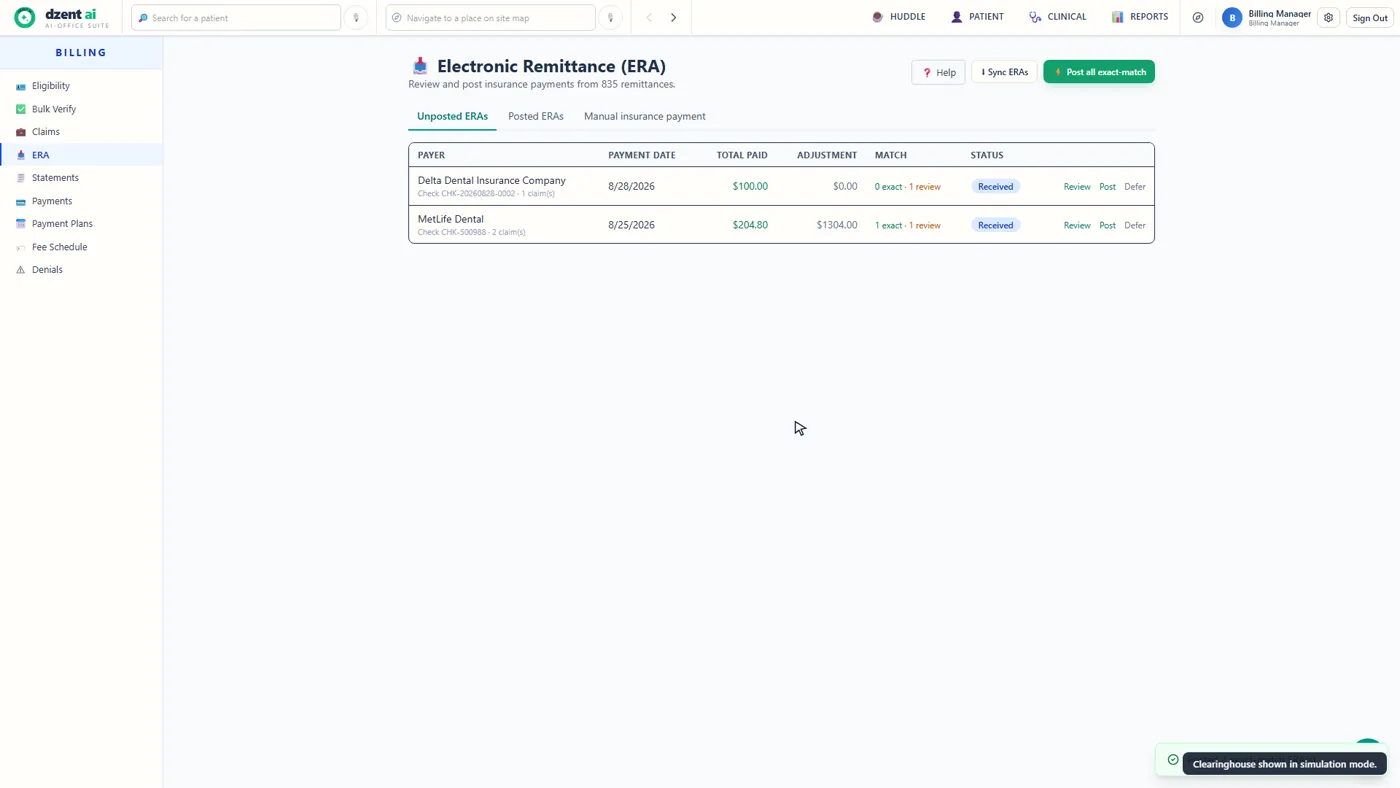
The remittance used to be your reconciliation afternoon. DzentAI matches every ERA line to the claim it pays; the exact matches post with one click, and only the lines that genuinely need a human eye go to review. Friday afternoon comes back.

DzentAI Electronic Remittance screen with the 'Post all exact-match' button and per-remittance exact and review match counts
The ERA screen — exact matches post in one click; review items wait their turn.

Your morning, pre-read

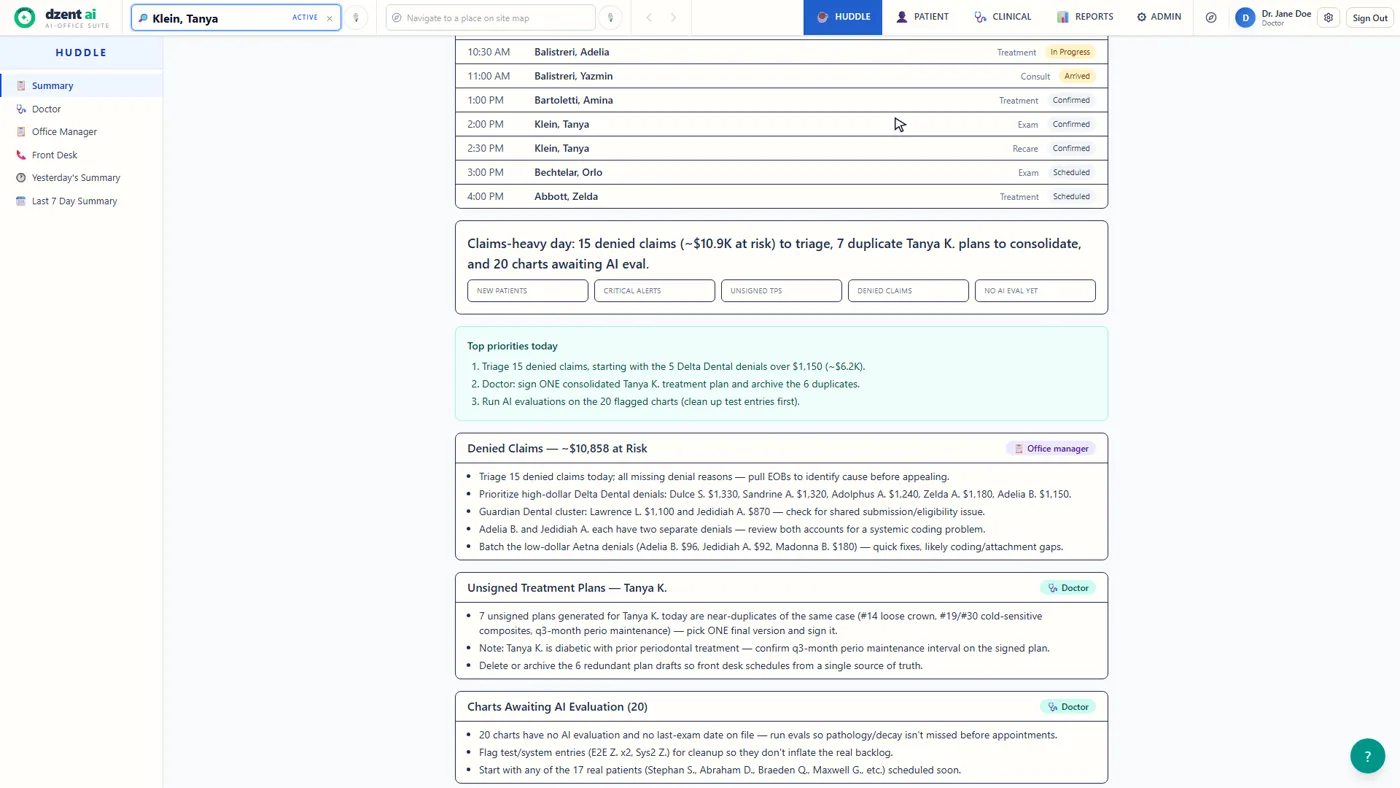
You used to find out at 4 PM what the day could have told you at 8 AM. The morning huddle reads the whole day first: the denied claims worth chasing, the unsigned plans, the charts that need attention — prioritized, with names and dollar amounts, before the first patient sits down.

DzentAI morning huddle brief: today's schedule with top priorities, denied claims at risk with dollar amounts, and unsigned treatment plans
The huddle brief — priorities, denials, and unsigned plans, read for you before the day starts.

See it work

Watch it work — no forms, no sales call

The 2:14 film plays at the top of this page. This is the full tour — the 5:15 master demo of the real product, end to end, captioned. More on the demo page.

The master demo

5:15 — five acts: the missed call, your morning, chairside, getting paid, and it runs itself. Captions included.

One platform

The whole practice on one connected record

From the front desk to the operatory to the billing office — every step writes to the same patient record. No exports, no re-keying, no second system.

  1. Schedule
  2. Chart
  3. Diagnose & plan
  4. Claim
  5. Get paid
  6. Recall

Charting & perio

An anatomical odontogram plus six-site perio probing with a voice cursor and deterministic AAP staging that never assumes a patient is healthy.

Exams & notes

Structured exams, an ambient scribe that drafts the visit note for you to review, and signed notes that are immutable — corrections are addenda.

Imaging

An in-browser DICOM viewer where findings enter the chart only when a clinician records or confirms them — no autonomous radiograph diagnosis, by design.

Treatment planning

Diagnosis-first planning grounded in real fee schedules, with conservative estimates that say "unknown" rather than guess a fee, and a patient-facing presentation — every number an estimate, never a guarantee.

Revenue cycle

Eligibility before the visit, claims scrubbed before submission, ERA posting, denial intelligence, and statements — the whole loop in one place.

Scheduling, recall & reporting

Day-to-year calendar with family booking and recall lists, plus 19 report types that roll up across locations for groups.

The difference that matters

Built for trust

AI in a medical record has to earn its place. In DzentAI, AI proposes; the clinician confirms; every chart change is audited. That isn't a policy — it's how the system is built. The engineering detail lives on the security page, written to be forwarded to your IT or compliance reviewer.

Nothing enters the record unreviewed

AI output lands as a proposal. A clinician confirms it — or rejects it with a reason. Both outcomes are recorded.

The AI cannot invent a code

Every suggested code is checked against the catalog on the server. Out-of-catalog answers are rejected automatically.

Signed means signed

Once a clinical note is signed it can never be edited — corrections are addenda, on the record, in order.

Every change is audited

Every change to a chart is appended to its history with the author and the source — typed, spoken, imported, or AI.

A failed security test blocks the release

Production deploys are blocked unless all backend tests and a browser-run patient-safety suite pass. There is no bypass flag in the deploy workflow.

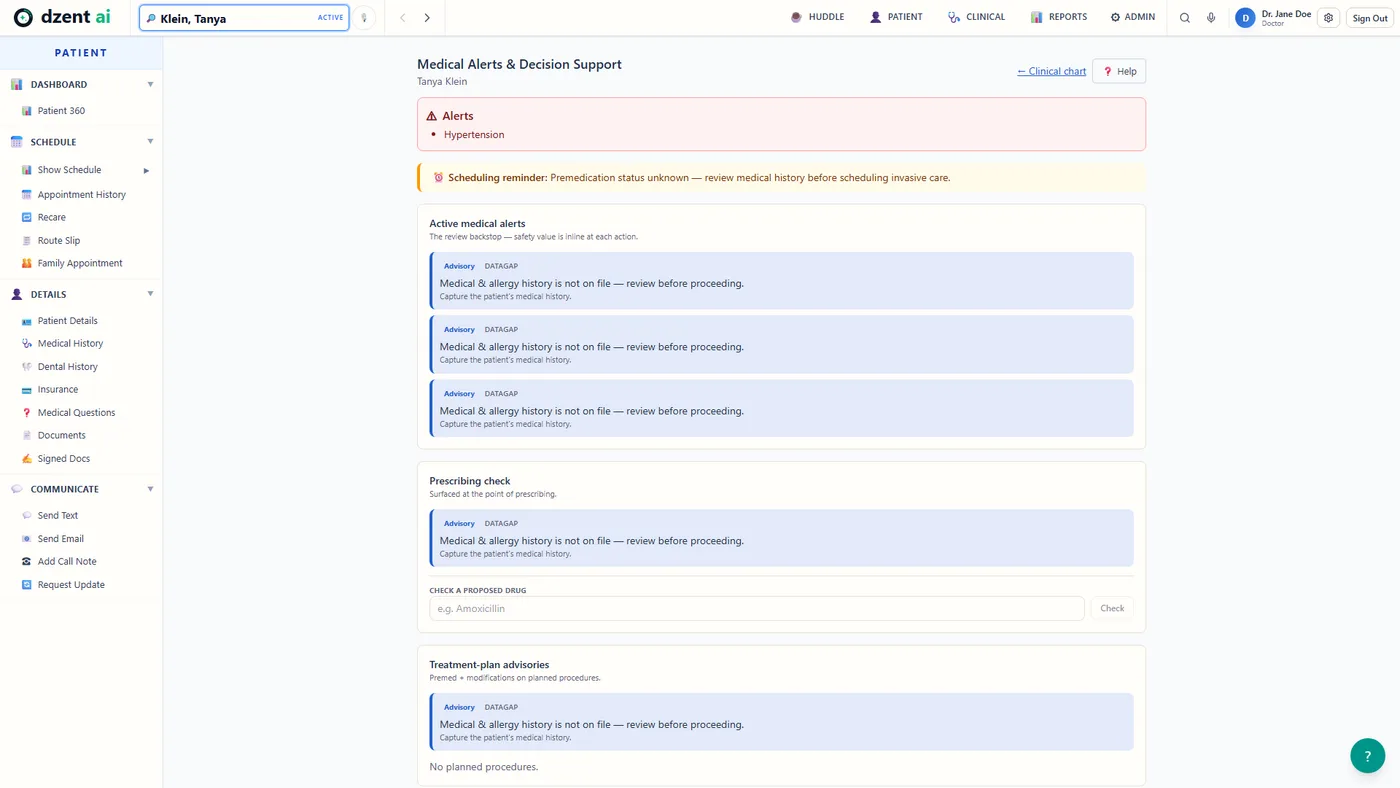
DzentAI Medical Alerts and Decision Support page: a hypertension alert, a premedication scheduling reminder, and data-gap advisories that ask for history instead of assuming it is safe
Medical alerts fail safe: when history is missing, the system says so — it never silently assumes a patient is healthy.

For your team

Answers for the people who'll actually use it

What changes on day one?
You talk instead of type. Dictate the exam, perio depths, and your notes; DzentAI structures them into chartable data you confirm. An ambient scribe drafts the SOAP note from the visit conversation — you review and sign.
What if the AI is wrong?
You reject the proposal with a reason, and the rejection is recorded too. Nothing routes into the chart until you confirm it, and suggested codes that aren't in the catalog are rejected by the server before they ever reach you.
Does it slow me down at the chair?
The chart, perio grid, imaging, alerts, and treatment plan live in one record — no app-switching. Drafts of consents, post-op instructions, and referral letters are generated in place for your review.
Who's responsible for the diagnosis?
You are — and the system is built to keep it that way. AI never signs, never sends, and never finalizes a diagnosis or a note.
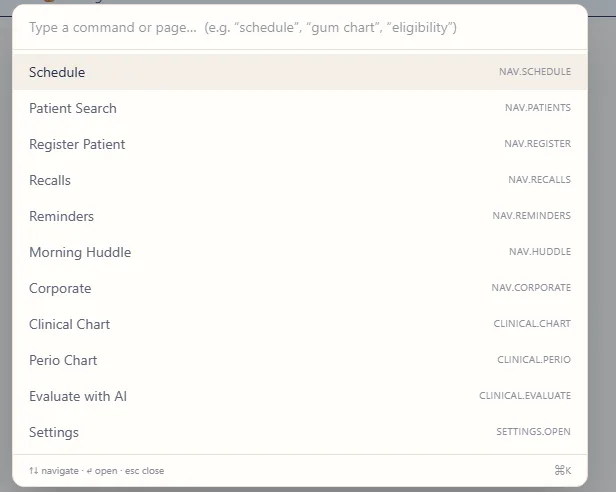
DzentAI command palette listing permitted destinations
Navigation is a permission-aware palette — it only offers what your role can reach.

By the numbers

Trust you can count

~12,000security checks run against the product nightly — every endpoint, every role
100%of releases blocked automatically if a single overnight check fails

Counts from the nightly security suite and the deploy pipeline as of August 2026. The full engineering story is on the security page.

An honest comparison

Where DzentAI stands

Comparison of DzentAI with legacy desktop practice management, cloud practice management, and AI point tools
Capability Legacy desktop PMS Cloud PMS AI point tools DzentAI
AI phone receptionist, built in — (none we know of) Not core — varies by vendor Standalone answering tools exist — separate product, separate record Built in — answers after-hours calls, triages, pencils urgent cases into the schedule for front-desk confirmation
AI-native system of record No — AI bolted on, if at all Typically add-on modules Not a system of record Designed around AI from the first line
Clinician-confirmed AI writes Varies by add-on Varies Propose → confirm → audit, enforced on the server
Deploy-blocking patient-safety test suite Every production release
Unified clinical + billing record Often separate modules Often separate products No One record, one login
Pricing model Per-seat + modules Often per-seat or tiered Per-tool subscriptions Flat per practice / month

Rows are limited to what we can defend from our own codebase; competitor columns describe the categories, not any specific vendor, and are hedged where we couldn't verify. The full comparison goes deeper.

What practices say

Founding practices

We're onboarding our founding practices now. Their words go here when they've earned the right to be here — and so will yours.

Become a founding practice

Pricing

Software your practice can actually afford

Legacy practice suites price like it's 1999: per-seat licenses, paid modules, servers, and support contracts. DzentAI is one flat monthly price per practice. Every feature. Every role. Every update. No per-seat math, no modules to unlock, no long-term contract.

Founding Practice Program: we're a young company earning our first hundred practices, and it shows in the price. Founding practices lock in a substantial discount for as long as they stay. You get modern software at a price that finally makes sense; we get partners who shape the roadmap. Fair trade.

Ask about founding pricing

Founding practices

Become a founding practice

We're onboarding a small group of practices for fall 2026. Founding practices work directly with the people who built it, shape the roadmap, and lock in founding pricing for as long as they stay.

  • Hands-on onboarding for your whole team — help and guided tours are built into every screen.
  • A direct line to the person who wrote the code.
  • Being early is the advantage — and here's the honest part of the deal: today the product runs entirely on synthetic data. Go-live with real patients is gated on executed BAAs and code-set licenses, a checklist we complete with you before your data ever touches the system. Founding practices are who we do that with first.

Prefer email? Write to us here.

This opens a pre-filled email in your mail app — nothing is sent behind your back. No mail app? Just write to us at hello@dzentai.com.

Questions we get

FAQ

What does it cost?

One flat price per practice per month — not per seat, not per module. Founding practices lock in a substantial discount for life. Ask us and we'll quote it in one email, no call required.

How do we migrate from our current software?

Records from previous providers import today — PDF, DOCX, and plain-text documents are structured by AI into the chart for your review before anything is saved. Full-practice migration is scoped individually with each founding practice, and DzentAI can run alongside your current system while you transition.

Where are you on HIPAA?

All data in the product today is synthetic — no real patient data has been processed. Before any practice goes live, our checklist requires executed BAAs with our cloud and AI providers and commercial code-set licenses. The security architecture — isolated data planes, role-based access, MFA, and an append-only audit log — is already built and is described on the security page.

What happens when the AI is wrong?

A clinician rejects the proposal with a reason, and the rejection is audited too. AI output only ever lands as a proposal — nothing routes into the record until a human confirms it, and suggested codes outside the catalog are rejected by the server automatically.

What do we need to run it?

A modern desktop browser — that's it. Nothing to install, nothing to patch. It's designed for desktop and landscape iPad use at the front desk and chairside.

When can we start?

Founding practices onboard fall 2026. Request founding details and we'll schedule a walkthrough.